
Knowledge Base
Sharing Configuration Parameter
Last Modified: Dec 19, 2025
This feature was introduced with Frontline Command Center 3.0.11 and holds the following benefits:
- Reduced configuration effort
- Reduced issues with misconfiguration
If you want your components to behave in the same way, you need to enable the Use (component-)shared setting. For your components to behave differently, enable the Use (component-)local setting.
Example
The following example is based on the Questionnaire component.
Defining properties as shared
To define a particular property shared, the property must have all of the following 3 attributes: id, shared, and inherit.
Note: The shared property ID must be unique. If the same ID is used multiple times, the property defined later on will not overwrite the previous one.
Result
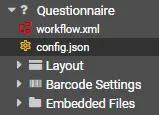
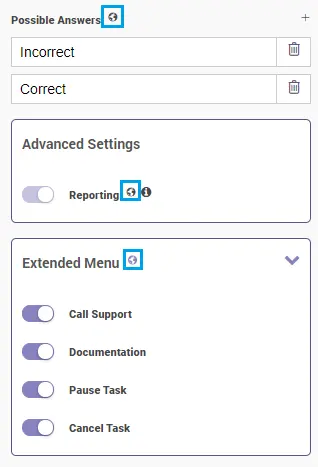
After applying the above described changes in the config.json file, additional options become available:
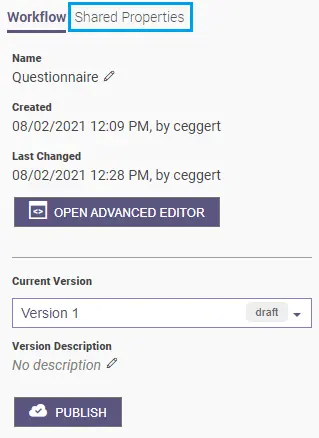
Additionally, the properties become available in the Shared Properties tab:
Control
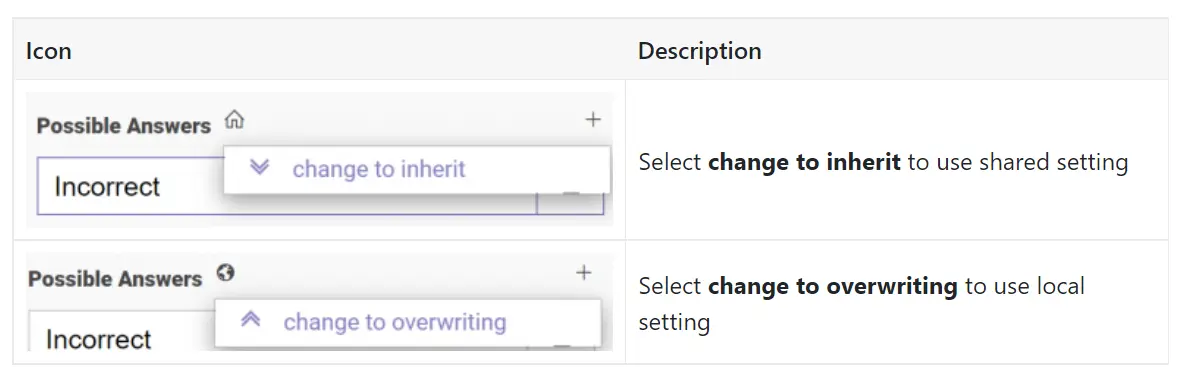
Click on the Globe/Home button to change which settings apply:
Docs
    "shared":true,
    "inherit":true,
    "id":"unique_shared_variable_id",
- shared - Defines the property as shared.
- inherit - Defines if global setting should be applied.
- id - Defines a unique ID used to identify and reference the shared property.
The unique property ID can be used directly inside your workflow, without naming the whole property path:
<ui_element name="YOUR_UI_ELEMENT">
    <param name="visibility"><![CDATA[§{#if shared_show_icon}§Visible§{else}§Gone§{/if}§]]></param>
</ui_element>
<!--vs.-->
<ui_element name="YOUR_UI_ELEMENT">
    <param name="visibility"><![CDATA[§{#if Configuration.layout.value.show_icon.value}§Visible§{else}§Gone§{/if}§]]></param>
</ui_element>