
ナレッジベース
ドキュメント
最終変更: 2024/03/21
目的
ドキュメントでは、ドキュメント テンプレートをアップロードして、事前にアポイントメントの準備をすることができます。
機能説明
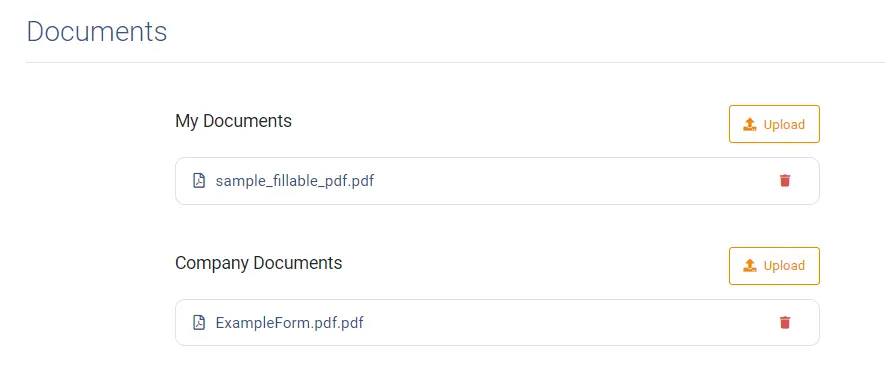
ドキュメントの種類
TeamViewer Engage は、マイドキュメントと会社ドキュメントの 2 種類のドキュメントを区別します。マイ ドキュメントは、個人用のドキュメント テンプレートです。会社のドキュメントは通常、組織によってアップロードされ、すべての従業員がテンプレートとして利用できます。
ドキュメントの準備または事前記入
アップロードされたドキュメントをクリックすると、事前に入力して保存できます。
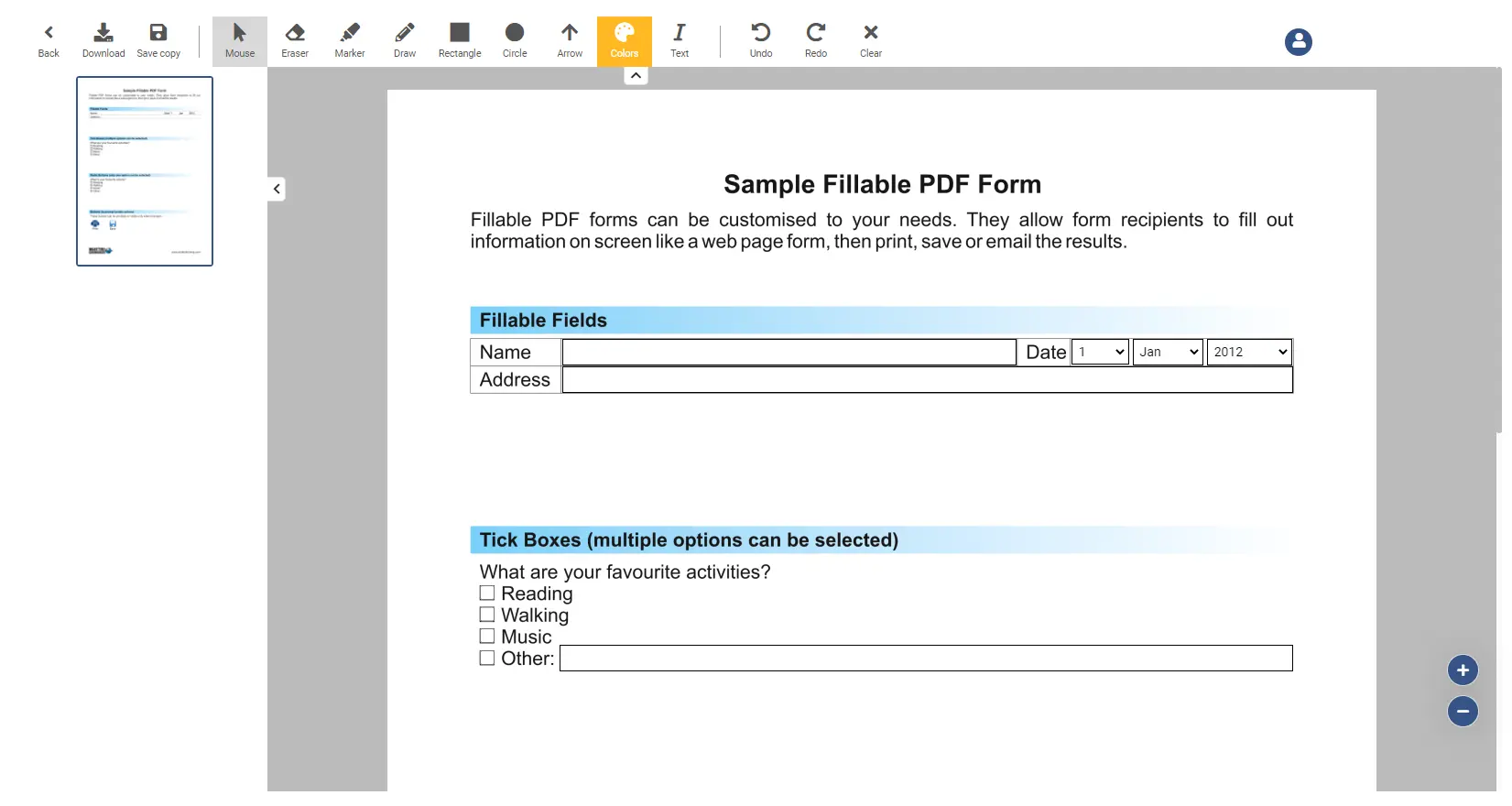
オプションの編集
開いているドキュメントを編集および変更するために使用できるすべての機能のリストを以下に示します。
Arrow | Draw an arrow over the screen |
Back | Navigates you back to the overview screen |
Circle | Draw a circle over the screen |
Clear | The clear button clears all changes made to the document (Note: it does not clear fields which have been filled out by a user). |
Download | Downloads the current document |
Draw | Changes the cursor to a drawer, where you can paint on the screen. The drawing will be permanent. |
Eraser | Changes the cursor to an eraser, which you can use to remove drawings |
Marker | Changes the cursor to a marker, where you can paint on the screen. The drawing will disappear after 30 seconds. |
Mouse | Changes the cursor back to a normal mouse |
Rectangle | Draw a rectangle over the screen |
Redo | Redo the last undone action |
Save copy | Saves a copy of the current document |
Text | Insert a text into the document |
Undo | Undo the last action |