
ナレッジベース
ミーティング リンク
最終変更: 2024/03/21
目的
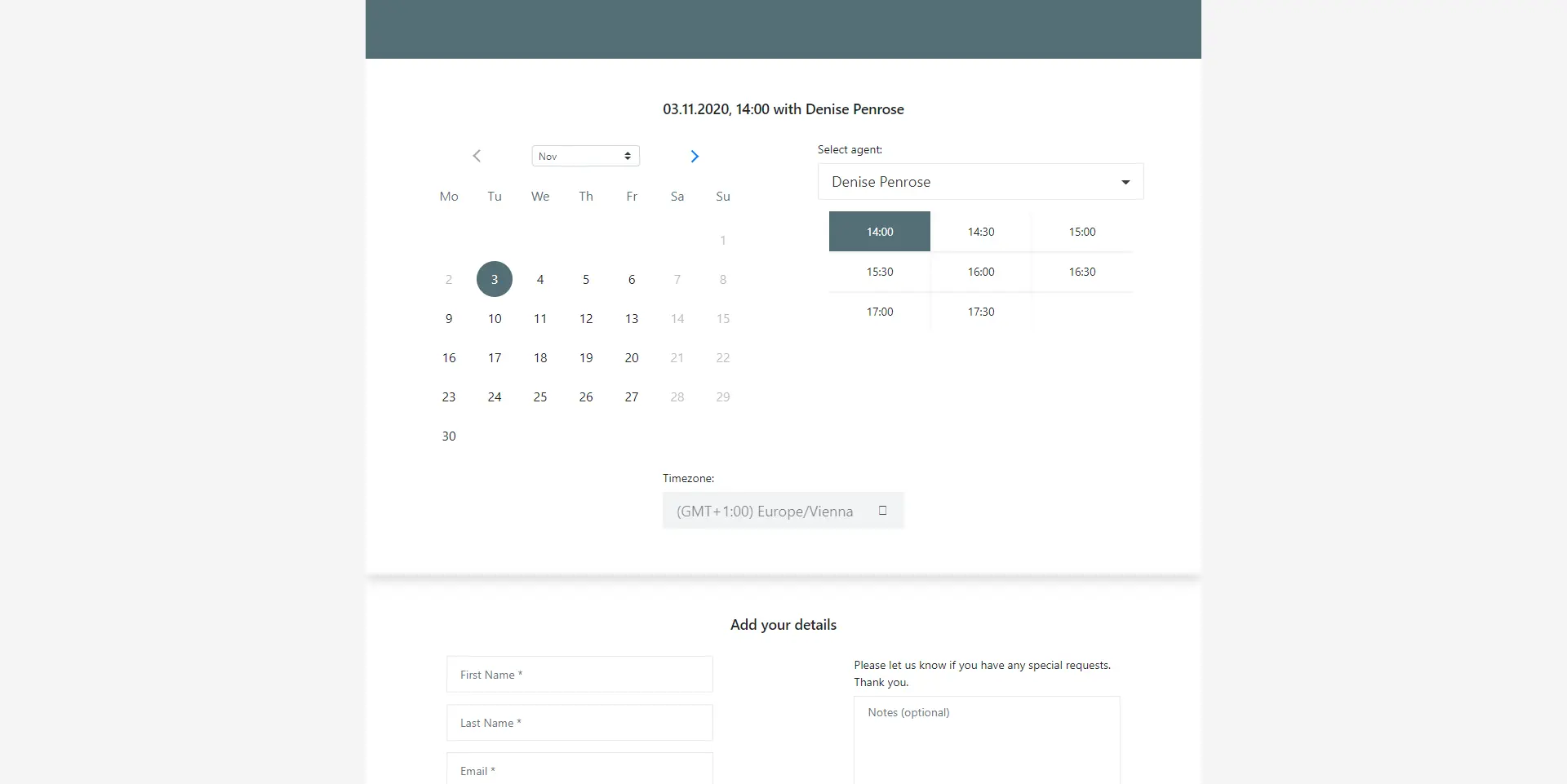
ミーティング リンクを使用すると、個人のランディング ページを取得できます。このページを (潜在的な) 顧客に送信して、予約できるようにします。ミーティングリンクを設定できるので、顧客は例えば特定の日の決まった時間帯にのみ予約ができます。
機能説明
ミーティング リンクは、次の 2 つの方法で使用できます。
- メールとメールの署名などでリンクを共有する
- Web サイトへのミーティング リンクの追加
最初のミーティング リンク
独自のミーティング リンクを作成する必要があります。ミーティング リンク メニューの + New Meeting Links(+ 新しいミーティング) リンクをクリックします。
📌注意: 組織の管理者がこれを設定する場合があります。ご不明な点がございましたら、お問い合わせください。
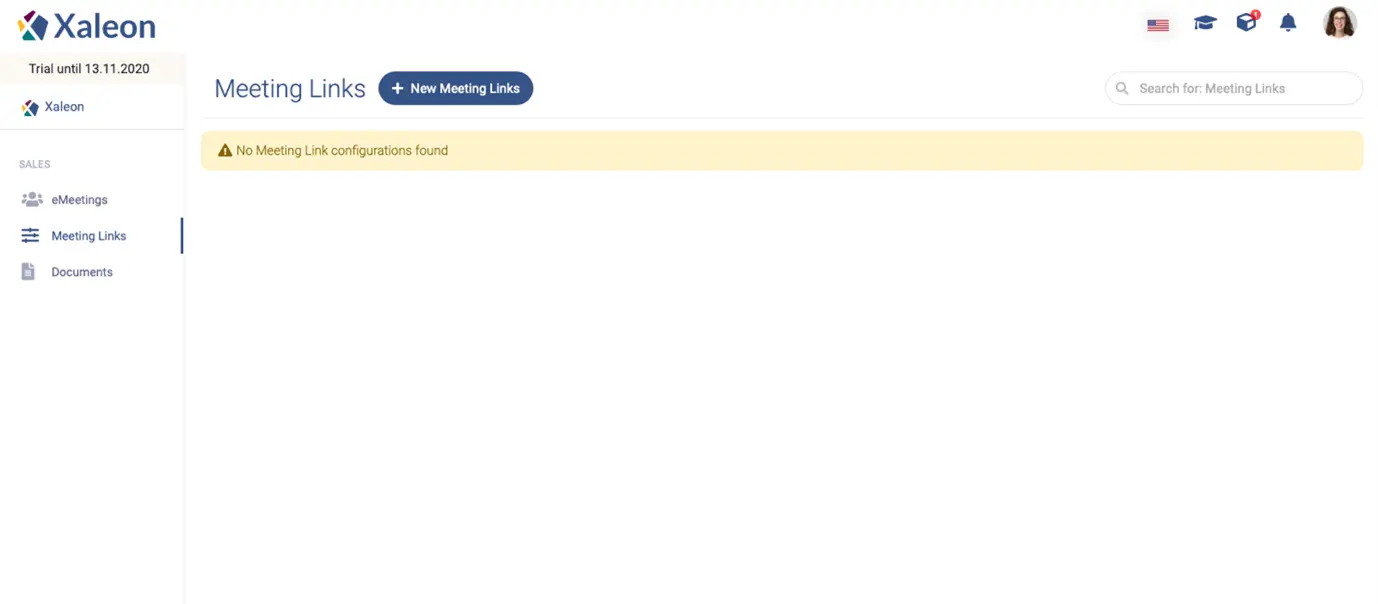
次に、アプリ内の手順と説明に従って、ミーティング リンクを作成します。
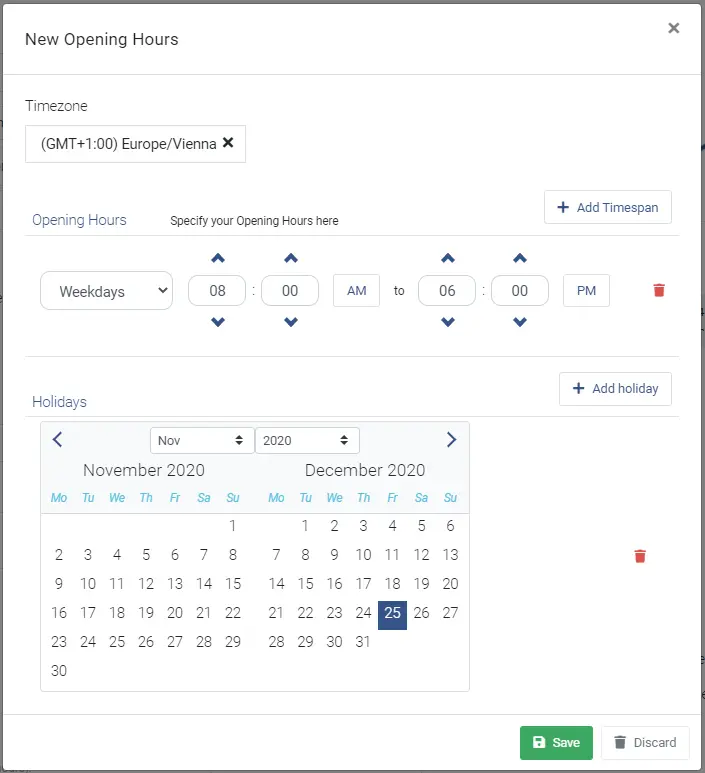
顧客があなたとのミーティングを予約できる時間枠を設定します。これを行うには、 Availability Settings セクションで + 追加をクリックします。
これが完了したら、個人のカレンダー リンクをメールの署名に追加できます。リードと見込み客は、対応可能な時間にアクセスして予約できます。
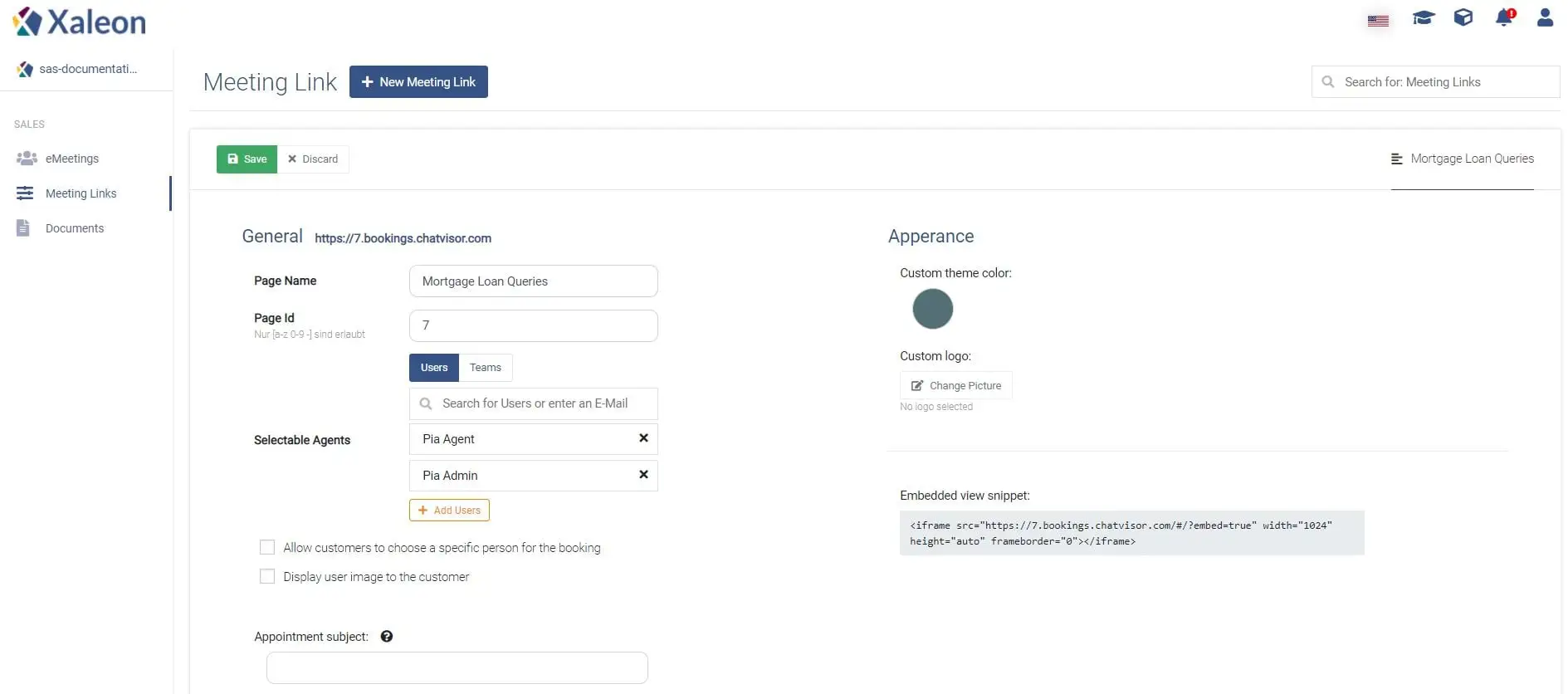
入力フィールドの詳細
全般
| Page Name | Internal naming for the page; not visible to the customer |
|---|---|
Page ID | A unique identifier, which will be included in the URL of the booking page. |
Selectable Agents* | Add all agents that shall be available for customers under this booking page. |
Allow customers to choose a specific person for the booking | This checkbox indicates whether or not a customer is allowed to choose a specific person for the meeting. |
Display user image to the customer | A setting to enable/disable the agent’s image on the booking page. |
Privacy Policy link | Here you can add the link to your own privacy policy. Note that there is a checkbox for the customer on the booking page to accept your policies. |
Appointment subject | In this field, the subject of the appointment is set. Furthermore, the first name, last name, and note of the customer can be displayed in the text by using ‘{‘ and ‘ }‘. The keywords are ‘firstname’, ‘lastname', and ‘notes’. Example: "Meeting with {firstname} {lastname}" |
Appointment subscription | This text area offers the possibility to add an appointment description. It features the same keywords as the Appointment subject. |
外観
| Label | Description |
|---|---|
Custom theme color | Here you can pick a custom colour for the booking page (in the example screenshot below, the theme colour is blue). |
Custom logo | A custom logo can also be uploaded, which will be shown at the top of the booking page. |
スケジュールポリシー
顧客がいつ会議を予約できるかを定義できます。
| Label | Description |
|---|---|
Time increments (in min) | Defines the timespan between each available meeting slot (e.g. 08:00, 08:30, 09:00, …) |
Minimum lead time (in h) | Defines how short of a notice a customer can book a meeting with an agent. |
Maximum lead time (in days) | Defines how many days forward in the future, a customer can book a meeting with an agent. |
メール通知
| Label | Description |
|---|---|
Send invitation emails immediately after an appointment was booked | This checkbox enables/disables invite emails after an appointment is booked. |
Send pre-meeting reminder emails | Here you can add email-reminders, which are sent at a selectable time (minutes, hours) before the meeting. |
可用性設定
顧客が一日中いつでも (たとえば、夜間など) 会議を予約したくない場合があります。空き時間設定では、顧客が会議を予約できる時間を正確に制限できます。制限は、たとえば、営業時間や休日に基づくことができます。